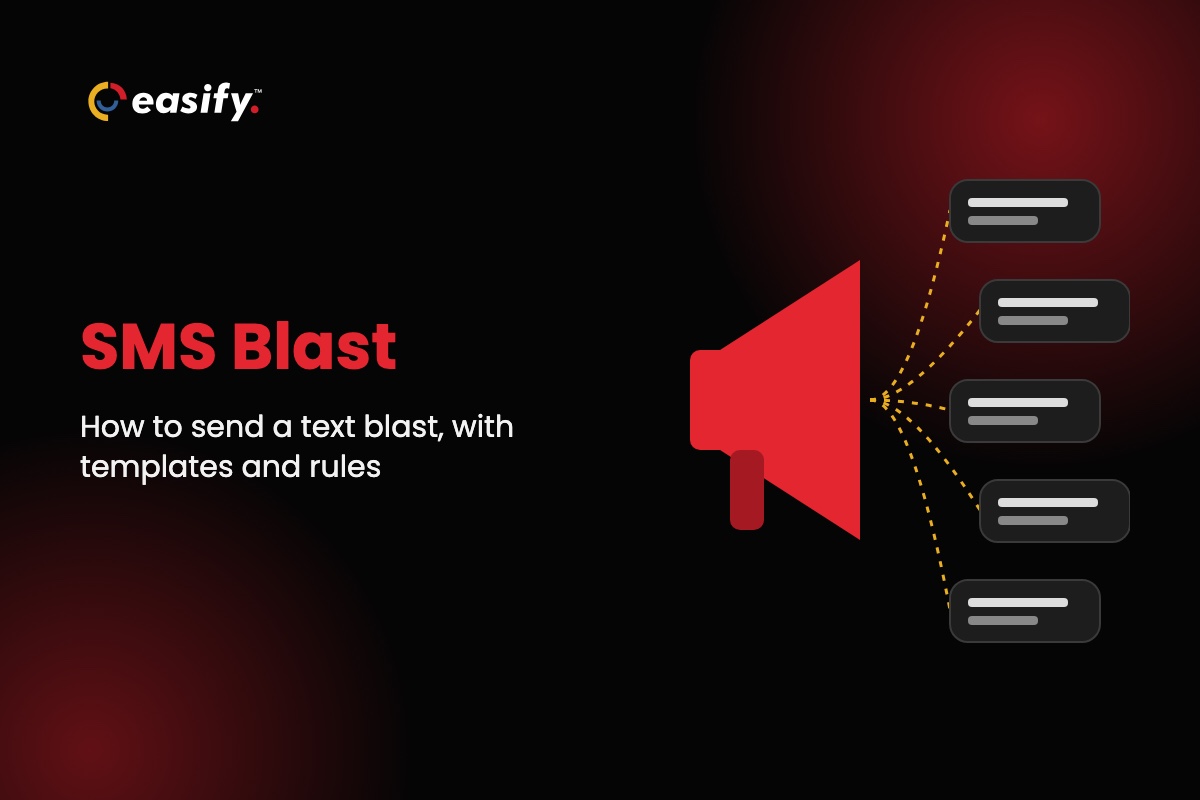
An SMS blast (also called a text blast) is one text message sent to many opted-in contacts at once, with each person getting it as a private, individual text. Text blast software is the tool that sends it. It holds your list and consent records, schedules the message, sends from a registered business number and reports delivery.
This guide covers how a text blast works, how to send one step by step, what to look for in text blast software, ready-to-use templates and the consent rules to follow before you hit send.
Try SMS blasts free for 7 days, no credit card required.
What is an SMS blast?
An SMS blast is a single message, written once and sent to a whole list or a segment of it in one campaign. Every recipient receives their own copy. Nobody sees the other numbers, and replies come back to you, not to the group.
Businesses use text blasts for messages that are short, timely and relevant to many people at once:
- Promotions: flash sales, new arrivals, restocks and event invitations.
- Reminders: appointments, renewals, payment due dates and deadlines.
- Alerts and updates: closures, schedule changes, holiday hours and order delays.
- Re-engagement: a check-in with past customers or leads who opted in.
SMS blast vs group text vs mass texting
A group text is a shared thread: everyone sees every reply and every phone number. That suits a small team, not customers. If that’s what you need, see our guide to group text message apps.
An SMS blast is a one-to-many broadcast: one message, sent privately to each person, usually as a single campaign.
Mass texting is the wider practice of texting large lists on an ongoing basis, with automation, multiple numbers and team inboxes. If you are comparing providers for that, read our guide to choosing a mass texting service.
How to send an SMS blast, step by step
Don’t send a text blast from a personal phone. Carrier guidelines treat texts sent for a business as business traffic even from a personal number, carriers may filter unwanted messages, and you can’t track consent or opt-outs there. Use text blast software and a registered business number. The steps below use Easify; most tools follow the same order.
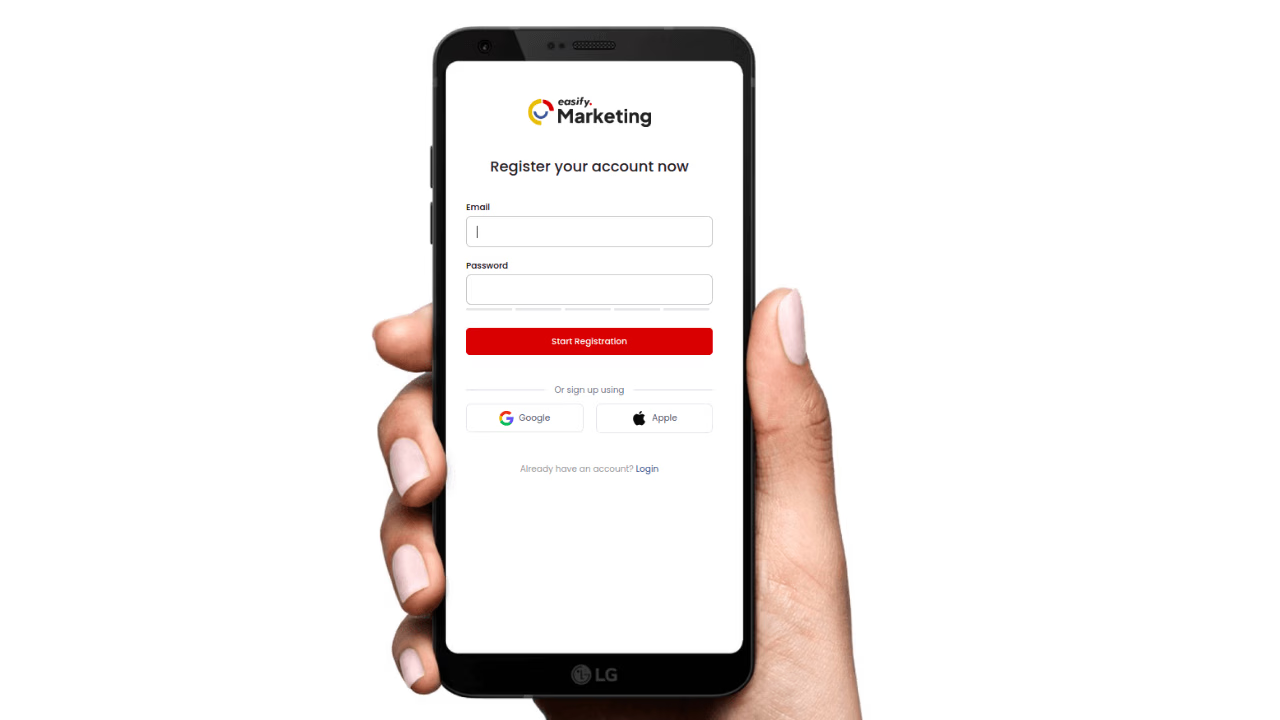
- Create your account. Sign up for Easify and choose your business number.
- Register for 10DLC. Register your brand and the campaign type (marketing, reminders) before you send from a local 10-digit number. Easify offers 10DLC registration assistance (charges apply). Allow time for approval before a launch date.
- Build an opted-in list. Import your contacts as a CSV or add them by hand. Include only people who agreed to receive texts from your business, and keep a note of when and how each one agreed. Scrub the list against Do Not Call and for landlines before you send.
- Segment it. Send each blast to the group it is for: new customers, past buyers, one location, one event. A smaller, relevant send gets more replies and fewer opt-outs than texting everyone.
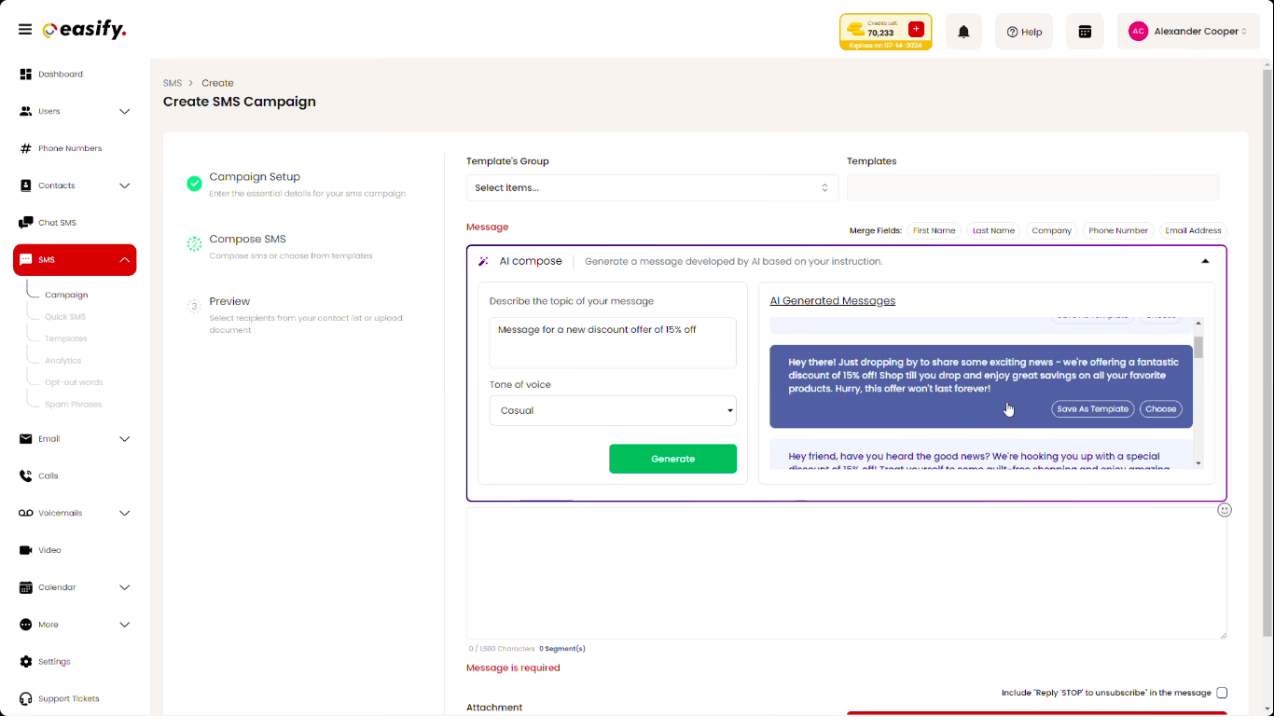
- Write the message. Go to SMS > Campaign, name the campaign, pick your sender number and list, then write the text or start from a template. Name your business, lead with the point, give one call to action and end marketing texts with “Reply STOP to opt out”.
- Check the length. One SMS segment holds 160 standard characters, or 70 if it contains an emoji or any character outside the standard GSM set. Longer messages are split into segments and cost more. Paste your draft into the SMS segment calculator to check.
- Send a test, then schedule. Send it to your own phone first to check the link and the wording. Then send now or schedule it for a date and time between 8am and 9pm in your recipients’ time zone.
- Track results and answer replies. Check delivered, undelivered and failed counts in SMS analytics, reply to people who answer, and make sure opt-outs are removed from future sends.
SMS blast features to look for in text blast software
Almost every SMS blast app can send a message. The differences that matter are delivery, consent handling and how much work each campaign takes. Use this table to compare text blast software and services:
| Feature | Why it matters | What to ask |
|---|---|---|
| 10DLC registration help | Carriers block unregistered business texts from 10-digit numbers, so an unregistered blast may never arrive. | Will they help register your brand and campaign? What does it cost? |
| Opt-out handling | People who reply STOP must stop getting texts, on every future campaign. | Are STOP replies removed from lists automatically? Can you add your own opt-out words? |
| List import and scrubbing | Landlines and Do Not Call numbers waste credits and add risk. | Can you upload a CSV? Does it check for landlines and DNC numbers? |
| Segments and personalization | A first name and a relevant offer make a blast read like a one-to-one text. | Can you send to part of a list and insert each contact’s name? |
| Scheduling | You can prepare campaigns ahead and send inside allowed hours. | Can you set a date and time for each blast? |
| Two-way replies | Customers answer blasts with questions, bookings and orders. | Do replies come back to an inbox you can answer from? |
| MMS | An image works for menus, flyers and products. | Can you attach an image, and how is it priced? |
| Delivery reports | You need to see what was delivered, what failed and why. | Does each campaign show delivered, undelivered and failed counts? |
| Integrations | Your contacts usually live in a CRM or another tool. | Is there an API or Zapier connection? |
| Pricing and trial | Cost depends on volume, message length, MMS and numbers. | What does a 160-character text cost at your volume? Can you test with your own list first? |
Text blast app, software or service?
The terms overlap. “Text blast software” usually means a web platform you run yourself. A “text blast app” is often the same platform on your phone, useful for answering replies on the go. A “text blast service” can also mean an agency that sends campaigns for you. If you send regularly, running the software yourself is usually cheaper and faster than briefing someone else each time.
What Easify gives you for SMS blasts
- Campaigns and scheduling: send SMS and MMS blasts now or at a set date and time.
- Templates and AI writing: unlimited SMS, MMS and email templates on paid plans, plus AI content features to draft messages.
- Two-way texting: replies come back to Easify, and the mobile app notifies you in real time.
- List scrubbing: check lists for mobile numbers and against the DNC list before a campaign.
- 10DLC registration assistance (charges apply).
- SMS analytics for every campaign.
- Automation and integrations: marketing automation for follow-ups, plus an API and Zapier.
- Pricing: plans start at $99 a month and run on credits, with a 7-day free trial and no credit card required.
Easify never sells, shares or accesses your contact lists or phone numbers.
SMS blast templates
Copy these and change the details. Replace [Business] with your business name and [link] with a short link. Marketing texts end with the opt-out line; the reminder and the service update are service messages, so after the first text in the program they don’t need it every time.
Flash sale
[Business]: Hi {First name}, our 24-hour sale starts now. 20% off everything in store and online until midnight. Shop: [link] Reply STOP to opt out
New arrival or restock
[Business]: The {product} you asked about is back in stock. We’re holding a few for text subscribers until Friday. See it: [link] Reply STOP to opt out
Event invitation
[Business]: You’re invited to our customer night on Thu, Nov 13, 5-8pm. Free drinks and first look at new products. RSVP: [link] Reply STOP to opt out
Appointment reminder
[Business]: Hi {First name}, a reminder of your appointment on Tue, Nov 4 at 10:30am. Reply C to confirm or R to reschedule.
Holiday hours or closure
[Business]: We’re closed Thu, Nov 27 for Thanksgiving and open 9am-6pm on Fri, Nov 28. Questions? Just reply to this text.
Win-back
[Business]: Hi {First name}, it’s been a while. Here’s 15% off your next visit, valid until Nov 30. Book: [link] Reply STOP to opt out
Review request
[Business]: Thanks for visiting us, {First name}. Could you leave a quick review? It takes a minute: [link] Reply STOP to opt out
Opt-in confirmation (the first text after someone signs up)
[Business]: Thanks for joining our text list. Expect up to 4 messages a month with offers and updates. Msg & data rates may apply. Reply HELP for help, STOP to opt out.
In insurance, lending and other regulated industries, leave out rates, savings and coverage promises: those count as advertising. Use wording your carrier or compliance team has approved. Industry examples are in our guides for e-commerce, restaurants and insurance agencies.
Send your first SMS blast with Easify: start a 7-day free trial.
SMS blast rules: consent, opt-outs and timing
Text blasts are legal when you have the right consent and follow the sending rules. Some of these are federal law and some are carrier rules that decide whether your messages get delivered.
- Consent: Federal law requires prior express written consent for marketing texts sent with an autodialer, and carriers expect written consent for every marketing text, so get it first. Keep a record of when and how each person agreed.
- Business numbers too: The TCPA has no business-to-business exception for texts to mobile numbers.
- No bought lists: If you buy leads, the consent has to cover texts from your business. Carrier rules (the CTIA Messaging Principles) don’t allow texting purchased, rented or shared lists: you need opt-in your own business collected.
- Name your business: Name your business in the first message of a program, and keep it in every marketing text. Carrier guidelines ask for it.
- Opt-outs: Include “Reply STOP to opt out” on marketing texts, and honor an opt-out sent by any reasonable means promptly, and never later than 10 business days. Put “Reply STOP to opt out” in the first text of any recurring program, service texts included, and in marketing texts every time.
- Quiet hours: Send marketing texts between 8am and 9pm in the recipient’s time zone. Florida limits them to 8am to 8pm and three messages per 24 hours on the same topic. It applies to licensed insurance agents too. Oklahoma has the same limits but exempts licensed insurance agents; following them is the safe default.
- Do Not Call: Check numbers against the National Do Not Call Registry and your internal DNC list before a campaign.
- 10DLC: Register your brand and each campaign before you send from a 10-digit number; carriers require it and block unregistered traffic. See the common 10DLC registration mistakes that delay approval.
Easify helps with 10DLC registration and DNC scrubbing, but consent stays your responsibility as the sender. Work through our TCPA checklist and the full guide to TCPA compliance for SMS marketing before your first campaign.
This section is general information, not legal advice: check state rules with your compliance counsel.
Common SMS blast mistakes
- Texting everyone on every list. Old or bought contacts drive complaints and carrier filtering.
- Sending before 10DLC approval. Messages from an unregistered number get blocked. If delivery drops, see our guide to carrier filtering.
- No business name. An unsigned text looks like spam and gets reported.
- Too many messages. Tell people how often you’ll text when they sign up, then stick to it.
- Long texts with emoji. One emoji drops the segment limit from 160 to 70 characters, which can double the cost.
- Ignoring replies. A blast starts conversations. Answer them, and remove anyone who opts out.
FAQs on SMS blasts
What is an SMS blast?
An SMS blast is one text message sent to many opted-in contacts at the same time. Each person receives it individually, so it stays private. Businesses use it for promotions, reminders and alerts.
What does SMS blast mean?
“Blast” means a one-to-many broadcast. An SMS blast, text blast, broadcast text and bulk SMS all describe the same thing: one message sent to a list in a single campaign.
How do I send a text blast?
Sign up for text blast software, register your number for 10DLC, import an opted-in list, write a short message with your business name and an opt-out line, then send or schedule it. The full steps are above.
Is text blasting legal?
Yes, when you have the right consent, honor opt-outs and send within allowed hours. Carriers also expect your business name in marketing texts and a 10DLC-registered number, or your texts may be blocked. The rules are in the rules section.
How much does an SMS blast cost?
It depends on the number of recipients, the message length in segments, MMS and the numbers you send from. Easify plans start at $99 a month and run on credits; see pricing.
Can people reply to a text blast?
Yes. Each recipient gets an individual text and can reply. Replies come back to you, not to the rest of the list.
Can I send a text blast from my phone?
Not from your personal number: carrier guidelines treat business texts as business traffic even from a personal phone, and you can’t track consent or opt-outs there. Use text blast software with a registered business number. Many, including Easify, have a mobile app for replies.
What’s the best time to send an SMS blast?
Inside 8am to 9pm in the recipient’s time zone (8pm in Florida and Oklahoma). Within that window, test two or three send times with your own list and keep the one that gets the most replies.
Start sending SMS blasts
A good text blast goes to people who asked for it, says who it’s from, makes one clear point and gives an easy way to opt out. Easify gives you campaigns, scheduling, templates, analytics and 10DLC help in one place, from $99 a month. Explore Easify SMS or book a demo.